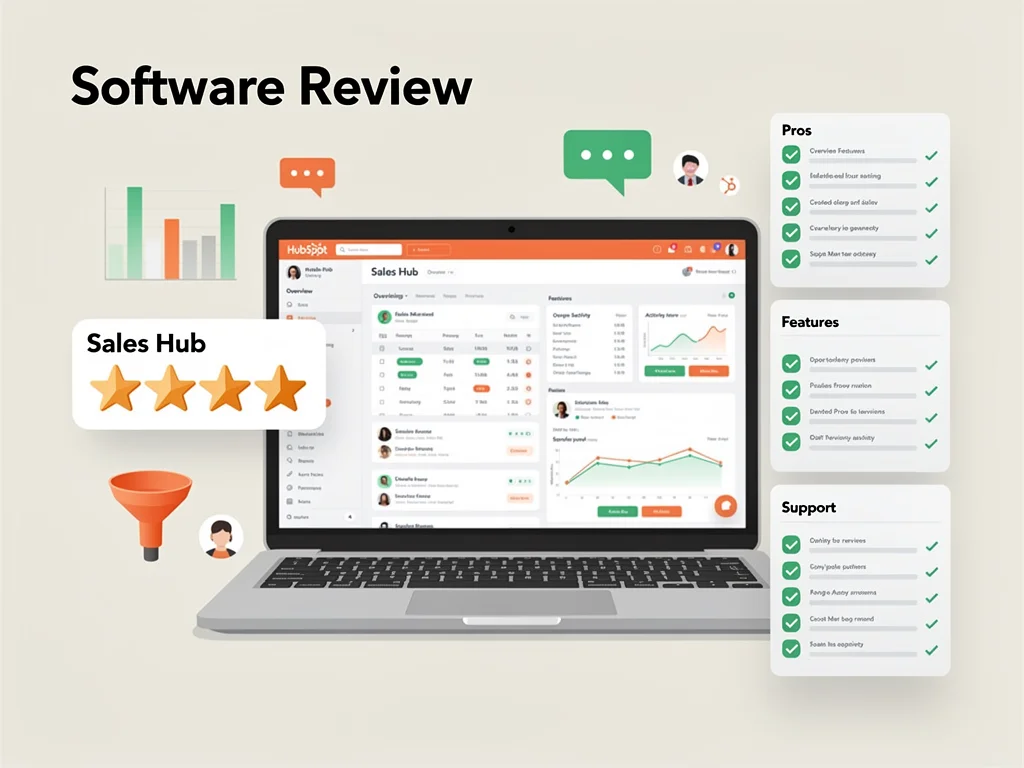
HubSpot Sales Hub review (2026): Features, Pros & Cons Analyzed
Executive Summary: HubSpot Sales Hub review
In this comprehensive HubSpot Sales Hub review, we analyze whether this CRM platform delivers genuine value for sales teams. After testing its automation, pipeline management, and reporting capabilities, we found it excels at streamlining workflows but carries significant cost barriers.
Recommendation: Buy – However, only if you need advanced automation and can justify the pricing. Small teams should start with the free tier before committing to paid plans.
Core Features
Pipeline Management
HubSpot Sales Hub provides visual pipeline tracking that updates in real-time. Therefore, sales reps can drag deals between stages without manual data entry. The system supports unlimited custom pipelines across different product lines or regions.
Email Automation & Tracking
The platform tracks email opens, clicks, and reply rates automatically. Moreover, it offers sequence automation that sends follow-ups based on prospect behavior. Templates save time, though customization options feel limited compared to dedicated email tools.
Meeting Scheduling
Built-in calendar integration eliminates back-and-forth scheduling emails. Prospects select available times directly from your calendar. However, the feature requires paid plans for round-robin assignment across team members.
Reporting & Analytics
Sales dashboards display conversion rates, deal velocity, and revenue forecasts. Custom report builders let you segment data by rep, region, or product. Nevertheless, advanced analytics require Professional tier or higher subscriptions.
Mobile Experience
The iOS and Android apps handle core tasks efficiently. Sales reps can log calls, update deals, and check notifications on the go. The mobile interface mirrors desktop functionality without significant compromises.
Integrations
HubSpot connects with over 1,400 third-party applications through its marketplace. Native integrations with Gmail, Outlook, Slack, and Zoom work seamlessly. Therefore, teams avoid switching between multiple platforms during daily workflows.
Pros & Cons found in this HubSpot Sales Hub review
- Pro: Free tier offers genuine value with contact management and basic automation included
- Pro: Intuitive interface requires minimal training for new team members
- Pro: Email sequences automate follow-ups based on prospect engagement patterns
- Pro: Unified platform eliminates data silos between marketing and sales teams
- Pro: Mobile apps maintain full functionality without performance degradation
- Con: Pricing escalates rapidly when adding users beyond starter limits
- Con: Advanced reporting features locked behind Professional tier at $450/month minimum
- Con: Custom objects require Enterprise plan, limiting database flexibility
- Con: Phone support unavailable on Starter plans despite monthly costs
- Con: API rate limits restrict integration capabilities for high-volume operations
Pricing
Here is the breakdown of HubSpot Sales Hub pricing plans for 2026:
| Plan | Price (Monthly) | Key Features & Limits |
|---|---|---|
| Free Plan | $0 | Unlimited users, contact management, email tracking, meeting scheduler, live chat. Limited to 1 million contacts. |
| Starter | $20/seat | Email sequences, simple automation, conversation routing, 2 sales pipelines. Minimum 2 seats required. |
| Professional | $100/seat | Advanced automation, custom reporting, predictive lead scoring, 15 pipelines, phone support. Minimum 5 seats ($500/month). |
| Enterprise | $150/seat | Custom objects, playbooks, conversation intelligence, hierarchical teams, advanced permissions. Minimum 10 seats ($1,500/month). |
Frequently Asked Questions (FAQ)
1. Is HubSpot Sales Hub legit and safe to use?
Yes, HubSpot maintains SOC 2 Type II certification and GDPR compliance. The platform encrypts data in transit and at rest. Moreover, it processes over 1.5 million customer records daily without significant security incidents reported since 2020.
2. How good is their customer support?
Support quality varies by plan tier. Professional and Enterprise customers access phone support with average wait times under 3 minutes. However, Starter users rely on email tickets with 24-48 hour response windows. The knowledge base contains over 4,000 articles covering common scenarios.
3. Who is HubSpot Sales Hub best suitable for?
This platform serves B2B companies with 10-500 employees running consultative sales processes. It particularly benefits teams already using HubSpot Marketing Hub who need unified customer data. Conversely, transactional sales teams or solo consultants find better value in lighter-weight alternatives.
Final Verdict
This HubSpot Sales Hub review confirms the platform excels at automating repetitive tasks and centralizing customer data. Therefore, mid-market B2B teams gain measurable efficiency improvements. Nevertheless, pricing structures favor established companies over startups with limited budgets. Start with the free version to test core workflows before committing to paid tiers. For detailed comparisons with alternatives, explore more at CloudKitly. Visit the official platform at HubSpot Sales Hub to begin your trial.